Google Sketchup 6
-
Comments:
- here.
I have used a number of Computer Aided Design and CAD packages. Today, I used Google Sketchup for the first time.
It has some differences, and could be an excellent program, but it just does lots of things (IMHO) wrong.
For instance, it allows you to place a dimension on a line, and then change it. But it doesn’t actually change the length of the line. If it did this one thing, giving it parametrically controllable dimensions, then it would do most of what I want. Instead, I need to create a line or box, (change tools to) place a dimension, (change tools again to) resize it until it is close enough to the size I want.
To make it a bit better to use coming from Inventor, I set up ‘D’ as a shortcut key for Dimension, and F5/6 for Previous View/Iso View. Much better for my muscle memory!
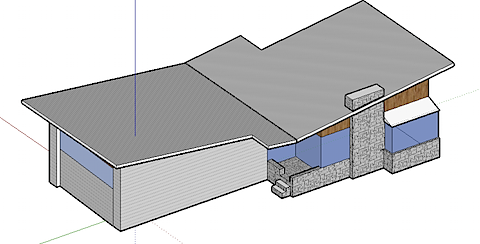
It uses a different paradigm than Inventor, rather than using a series of parts, it really is just a sketch. Having said that, here is an accurate representation of my house. Accurate in some ways, not all.
And the best thing over Inventor? It runs native on OS X.