num lock on MBP keyboard.
-
Comments:
- here.
I obviously don’t use my MacBook Pro for much data entry. At least, not numerical data entry.
Like almost every laptop, MBP is lacking a dedicated numeric keypad. However, you can turn on the numeric keypad by using fn-F6.
What’s interesting is that there is actually a light under there to indicate when it is on:
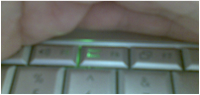
When it is on, the remainder of the keys no longer operate - even those not associated with the numeric keypad. The only one I can find that doesn’t have a small ‘num-lock’ extra symbol on the key but still operates is the F6 key, which turns num lock back off.