Rewrite using Framework
- Comments:
- here.
I think I might rewrite all of this site’s scripting using a framework. Probably Yahoo’s stuff, that looks very cool: YUI.
I think I might rewrite all of this site’s scripting using a framework. Probably Yahoo’s stuff, that looks very cool: YUI.
Really, I don’t like the term AJAX. However, technically, I think that’s what my DeleteComment function does. It sends a request to the server, and updates the current DOM to reflect this. There’s no reason why normal Comments can’t be added or edited in the same way. Instead of the Edit Comment/Post opening up a new page, I might just make them turn the area into a textarea, and allow editing. Then, when clicking out (or perhaps, Save), the data is uploaded back to the server, and the page updated. This would make it very cool to edit posts in-place. For this, I might be better off investigating other options rather than re-building my own. Although that is kind of fun.
I’ve implemented the ability to delete a Comment while viewing it on a normal (user) post page. It will only appear if you are an admin. There are some issues: the first is that it doesn’t work under Internet Explorer. I didn’t realise until I read Using the XML HTTP Request object that IE uses a different way of initialising the XMLHttpRequest() object. I’ll build that in later. The second is that any user can (try to) delete a Comment when logged in - currently this script doesn’t check to see what is returned, and removes the Comment from the Post page regardless. What I need to do is examine the resulting HTML code, and find out if the request to delete the comment was successful. I’ll need to do some experiments to check this, but an xmlhttp.status might do the trick. To use it, just include <script type="text/javascript" src="http://schinckel.net/images/toolbox.js"> </script> in your <head>, and have a button/link with class="delete", inside your Comment <li> definition. Else, you can download the script, and examine how it works: http://schinckel.net/images/toolbox.js. The actual function that deletes the comment is:
|
|
With the function:
|
|
existing elsewhere, and being used in this case. I like the neatness of this recursive function, which I originally wrote for finding a parent <form> element. I’ve also got a function getById(), which is a cross-browser wrapper for document.getElementById(), and eventTarget() which is the same for finding the target of an event. To add the function to the button, I use a script that just finds all elements with class="delete", and add onclick=DeleteComment. That’s all that needs to be done!
I couldn’t find a simple explanation of how to do this, so here is one. First, a bit of background. I wanted to be able to delete a comment from a standard post page, without having to a) go to a confirmation page, and b) have to navigate back to the original page afterwards. The following code creates an HTTP request, opens the required page, then fakes the header so it looks like it came from an admin page, before sending the request. When the request is complete, it refreshes the current page, so as to update the display.
|
|
A better option might be to just hide the deleted comment from view - that would be immediate, and if the user refreshed the page it would reflect reality.
|
|
However, if the user was to somehow cause the comment to become visible again, it doesn’t get it’s number back, at least in Firefox. There are a multitude of other ways to handle this case: .style.visibility = 'hidden' hides the object, but leaves the space. You could also delete the object from the whole DOM structure, using:
|
|
Blogsome Search has never quite been right, and now I think I know how to fix it. At the moment, my Search code looks like:
|
|
This works, to a certain extent. It will only properly display the first page of results. It is possible to use URLs of the form: http://schinckel.net/category/?s=searchterm which will give results, and if there are more hits than are visible, will display the Next Page link, which is of the form: http://schinckel.net/category/?s=searchterm/page/2/, and works. Knowing this, it’s possible to hack up a JavaScript function that will display the search results, but the Next Page link still fails. You can, however, pop an &paged=n on the end of the URL, which will work in this case. I think this would be much nicer with a RewriteRule. I’ll have to play around a bit and see what makes a working one for .../search/term1/term2/, I think. The JavaScript I am using at the moment is (shown in context):
|
|
Blogsome is great. You can blog, upload up to 25Mb of images, but unfortunately, you can’t upload your own JavaScripts and use them from the Blogsome server. Or can you? It is actually possible to host a JavaScript on your Blogsome blog, you just need to be a bit tricky. If you have a script called myscript.js, and you try to Upload it using the standard Upload menu item, it will fail. Blogsome only allows files with the extensions .jpg, .gif and .png. Note well that they do not need to be that type of file, but only have that extension. I think you know what I’m going to do next, and that’s rename my file to myscript.js.jpg: leaving in the .js reminds me that this is a JavaScript file, and the .jpg allows me to upload it. Which I did. When you include the script in your template, all you need to use is: <script type="text/javascript" src="/images/myscript.js.jpg"></script> Browsers are smart enough to allow this to happen.
Ages ago, I wrote about how to (a) pass Pages through the Post template, and (b) use Smarty Tags in special Pages. I had an Archives page, that had a list of every Post I’d ever made. It’s getting kind of long, so I wrote a script that parses this list, and creates a structured list, dividing the posts up according to the month they were published. It then makes this list so that you can hide/show a whole month’s worth of posts in one go. In the Posts Template, I have the following lines:
    {elseif $smarty.server.REQUEST_URI == '/archives/' || $smarty.server.REQUEST_URI == '/archives'}
        <ul>{get_archives type='postbypost' limit='' format='html'}</ul>{$content}
Note that this is out of context: see my whole Posts template file for details. This is in the actual Page:
    <script type="text/javascript">
    var months = new Array("","January","February","March","April","May","June","July","August","September","October","November","December")
    function getYear(li){
        return li.innerHTML.split("/")[3]*1;
    }
    function getMonth(li){
        return li.innerHTML.split("/")[4]*1;
    }

    function showKids(id){
        var unit = getById(id);
        for (var i=1;i<unit.childNodes.length;i++){
            unit.childNodes[i].style.display="block";
        }
    }
    function hideKids(id){
        var unit = getById(id);
        for (var i=1;i<unit.childNodes.length;i++){
            unit.childNodes[i].style.display="none";
        }
    }
    function toggleKids(id){
        var unit = getById(id);
        if (unit.childNodes[1].style.display == "none")
            showKids(id)
        else
            hideKids(id)
    }

    function Restructure(){
        var pc = getByClass("post-content")[0];
        var items = pc.getElementsByTagName("li");
        var list = items[0].parentNode;
        var month_nodes = document.createElement("ul");

        var month_node = document.createElement("li");
        month_node.className = "month";
        month_node.innerHTML = months[getMonth(items[0])] + " " + getYear(items[0]);
        month_node.id = month_node.innerHTML.replace(" ","_");
        month_node.innerHTML = "<h3><a onclick='toggleKids(\""+ month_node.id +"\");'>" + month_node.innerHTML + "</a></h3>";
        month_nodes.appendChild(month_node);

        var this_month;
        var next_month;

        while (items.length) {
            this_month = items[0];
            next_month = items[1];
            month_node.appendChild(this_month);
            if (next_month && (getMonth(this_month) != getMonth(next_month))){
                month_node = document.createElement("li");
                month_node.className = "month";
                month_node.innerHTML = months[getMonth(next_month)] + " " + getYear(next_month);
                month_node.id = month_node.innerHTML.replace(" ","_");
                month_node.innerHTML = "<h3><a onclick='toggleKids(\""+ month_node.id +"\");'>" + month_node.innerHTML + "</a></h3>";
                month_nodes.appendChild(month_node);
            }
        }

        pc.replaceChild(month_nodes,list);

        var all = getByClass("month")
        for (var i=0;i<all.length;i++) hideKids(all[i].id);
    }

    Restructure();
    </script>
You’ll notice a couple of strange comments, and what looks to be a closing all tag: these are because the Blogsome post editor kindly closes tags for me, even when they aren’t tags!
Movin’ Out (Anthony’s Song) • Billy Joel • Greatest Hits ★★
I’m off to Karaoke now, I might have to sing that song!
I spent hours last night working on this, and a fair bit of time today. I think I’ve got it pretty good, now. See my Templates page for an example. Now, instead of trying to get the data to appear immediately, which I could not do, I have four buttons that the user can select between the various template files, and it shows them in the <textarea> underneath.
|
|
I probably could have saved the data to variables, and reused the XMLHttpRequest item, but then I would have had to find some way to wait for the response code, and that kept failing for me.
Kissing You • Des’ree • ★★★½
Now, I’m not talking here about using the “Show Source” feature of a Web Browser. Anyone worth even a quarter of a pinch of salt knows how to do that. What I’m trying to do is display the source of a web page as text/plain within another web page. This is so I can have a current version of my template available on a page of my blog. I’ve put a version up that I need to update, and I make so many changes to the template this is unsustainable.
Under Blogsome, the template files can be found in the /templates/ directory, and there are four of them: index.html, wp-layout.css, post.html and comments.html. Of these, only wp-layout.css is a plain text document, the rest are (naturally) text/html.
Now, HTML has a nice little feature called <object>, which should be able to display anything the browser can render. For example:
<object data="/templates/index.html"> </object>
Will display a rendering of the Main Page template. It looks somewhat ugly, since it’s not been pre-processed by the Smarty Templating engine, so is somewhat useless - it’s neither the source nor the full result:
This element also has an attribute that should allow you to choose the content type: codetype.
<object data="/templates/index.html" codetype=“text/plain”> </object>
This to me should be now rendering the object as a plain text document. But no, it still renders the HTML:
|
|
I fiddled around with this for about an hour or so last night, trying to get it to work. The DOM tells me it’s text/plain, but the browser won’t render it as such.
So, after much more rooting around, I finally figured out a way to get the source to display: use XMLHttpRequest() to grab the data, and DOM manipulation to put it into the required location. This is what my page looks like:
|
|
It’s not quite perfect: there are still some issues with the timings, but I’ll get there. At least it works, now. You may need to type javascript:Source() into the address bar to get it to work.
All I need to do now is some syntax styling!
I’ve got some serious JavaScript_age_ going on with my site: I sometimes wonder if it’s too much. One thing I have noticed is that on my iMac I get occasional “There is a script taking a long time to finish. Continue/Stop Script” errors, but never see these on the PC. I also don’t see them under IE/Win, the platform I am forced to use at work. 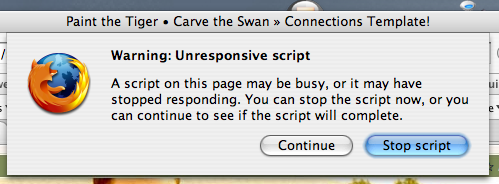 I also get errors with Camino, but I’m not sure about Safari. I’ve gone into about:config, and changed dom.max_script_run_time from the default of
 5 to 20, just to see if that makes a difference.