Stealth Forwarding & {$siteurl}
- Comments:
- here.
I’ve got my own domain (http://schinckel.net), which just so happens to point towards this blog. It would be cool if I could replace the _http://schinckel.net _with _http://schinckel.net _everywhere it appears. I have gotten ever so close to achieving this. I have made it so that {$siteurl} is equal to http://schinckel.net, using a hidden options page. This means that all of the links and so forth on my blog now look like: http://schinckel.net/2006/03/15/coffee-physics/ Then, in theory, if I make http://schinckel.net “Stealth Forwarding” instead of “Standard Forwarding”, then it will keep these addresses in the address bar, and people copy-pasting them would grab my nicer address. However, there is on issue. Stealth forwarding actually uses a frameset to work, and this interferes with the proper passing through of data. Thus, on http://www.schinckel.net/, which does use Stealth forwarding, when I click on a link that goes to another page, the original URL stays in the address bar. If I turn on Stealth for http://schinckel.net, this bug seems to go away - clicking on a link to another page puts the correct address into the page, but since the frameset exists, then two other problems appear: Cookies for logging into the site fail (as it’s actually a different site), and the StyleSheet file fails to load, as instead of it being http://schinckel.net/templates/wp-layout.css, which is a CSS file, it is a page, in HTML, with a frame with the CSS file inside of it that loads. Which fails to be interpreted by the browser, resulting in dodgy looking pages. I could overcome the second issue by hard-coding the CSS file path into my template, but the first one is a biggie. I can’t just login to http://schinckel.net/wp-admin/, as all of the links inside of the page that use {$siteurl} now point to http://schinckel.net/wp-admin/yada-yada-yada.php, which the login session isn’t valid for. So, I can’t access anything inside the Dashboard. I’ve settled on a middle ground for now: I’ve set the {$siteurl} to http://schinckel.net, but left forwarding mode as Standard. Now, anything in the page which writes a URL as src="/yada" will give a schinckel.net address, but anything that uses {$siteurl} will give a nice schinckel.net address. I might be able to post-process some stuff so it looks even nicer, but the address bar will always be http://schinckel.net/yada/. Unless I can outsmart the cookies. The outsmarting can be done one of two ways: firstly using JavaScript, and secondly using Smarty Tags. I think JavaScript will be better, as it will automatically get every location, whereas the Smarty Tag solution would requires some serious {capture} ... {$var|replace} action. The bestmethod may be to tweak my DNS settings, so that the location of schinckel.net is the same as that of schinckel.net, however I don’t yet know enough about this to even try.
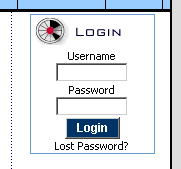 I hope you can remember the username and password that you used when you registered the account. Then choose the Email Forwarding item from the Manage Domain menu:
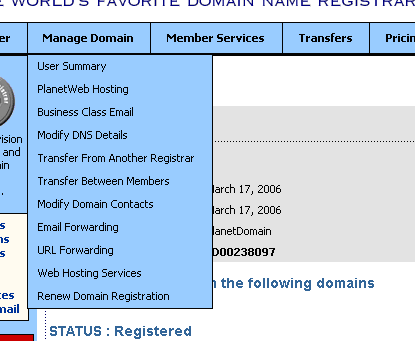 Your nameserver information should be correct: it defaults to the values required and noted in the page. Click on:
 You only have one domain, so you can just choose Continue on the next page. Now is the time to enter data. I;ve put my example data in the image below: you’ll want to use whatever it is you want. info in the top box, and a valid email address that the messages will be forwarded to in the very bottom box.
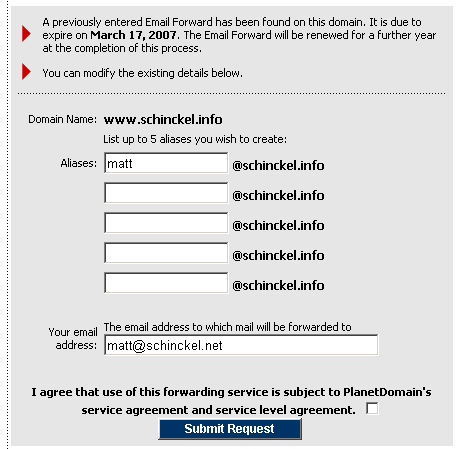 Please note that PlanetDomain.com does not host your email, it simple redirects any email coming in to this address to the address in the bottom box. You will need an address on another server that will actually store the mail. If you want a Gmail account (Free, very large capacity, web and email program access) I can send you an invite. You can just point the bottom address to your current email address, and leave it as that for as long as you want. If you wanted to set up a seperate account later, that’s no big deal. With this done, any email that is sent to the top address (
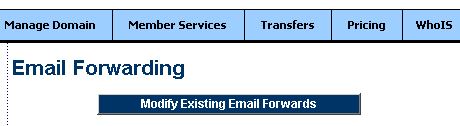 You can then press Continue, and the following screen will appear.
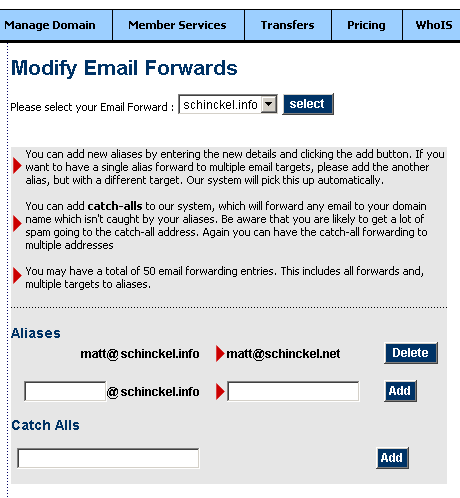 On this page, you can set up as many addresses as you want (up to a limit of 50). These can point to the same or different email mailboxes, or even have the same address pointing to different mailboxes. The final thing you may wish to do is set up your email program so you can send email and it ‘comes from’
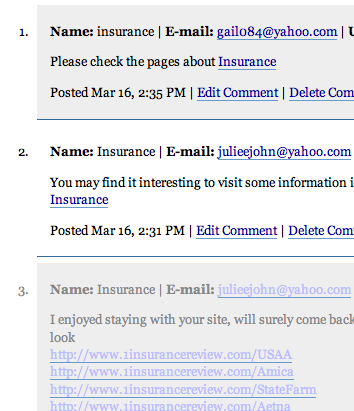 But obviously a whole lot more links.
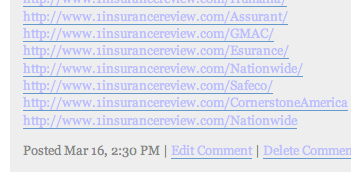 If you look at the times, the one with heaps of links was posted first, and then it looks like the poster realised it wasn’t working, and posted comments without heaps of links, which made it into the comments stream. Needless to say, 1insurancereview has made it into my blacklist. And the word insurance is very close to making my moderate list. These are real comments, not trackbacks. I am finding a few Comment Spams now, I wonder if my JavaScript isn’t working?
 Actually, the main reason I’m posting this is to comment on the Washington Post’s method of preventing you stealing the images displayed in comments. It’s actually quite clever. It checks the refererring page (where the
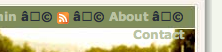 This surprises me, since this is one browser I would have thought it would work in. As it turns out, Safari may actually be doing the right thing here. To include Unicode characters in the CSS