The first thing you need to do is login to the PlanetDomain site:  I hope you can remember the username and password that you used when you registered the account. Then choose the Email Forwarding item from the Manage Domain menu:
 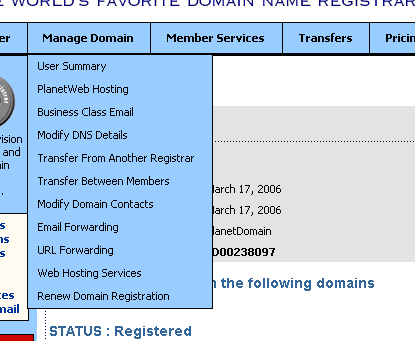 Your nameserver information should be correct: it defaults to the values required and noted in the page. Click on:
  You only have one domain, so you can just choose Continue on the next page. Now is the time to enter data. I;ve put my example data in the image below: you’ll want to use whatever it is you want. info in the top box, and a valid email address that the messages will be forwarded to in the very bottom box.
 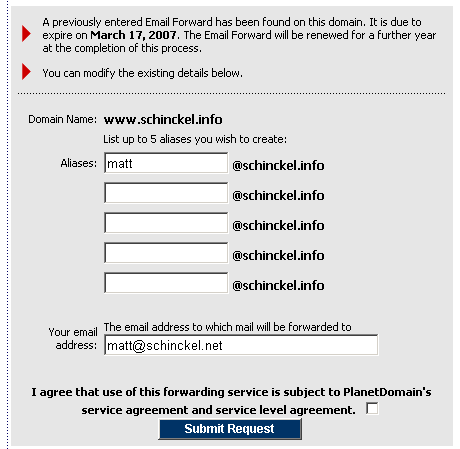 Please note that PlanetDomain.com does not host your email, it simple redirects any email coming in to this address to the address in the bottom box. You will need an address on another server that will actually store the mail. If you want a Gmail account (Free, very large capacity, web and email program access) I can send you an invite. You can just point the bottom address to your current email address, and leave it as that for as long as you want. If you wanted to set up a seperate account later, that’s no big deal. With this done, any email that is sent to the top address (info@tutch.com.au) will automatically arrive at the bottom address. There may be a couple of minutes delay (mydomain.com had a problem earlier this year where mail was delayed for up to a week, but this sort of thing is pretty unusual). What you may wish to do is have more email addresses (e.g. sales@tutch.com.au, support@tutch.com.au) and have these pointed towards the same or different email addresses. You can get at this through a new button that has appeared on the first Email Forwarding screen:
 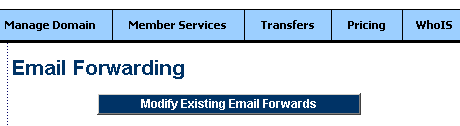 You can then press Continue, and the following screen will appear.
 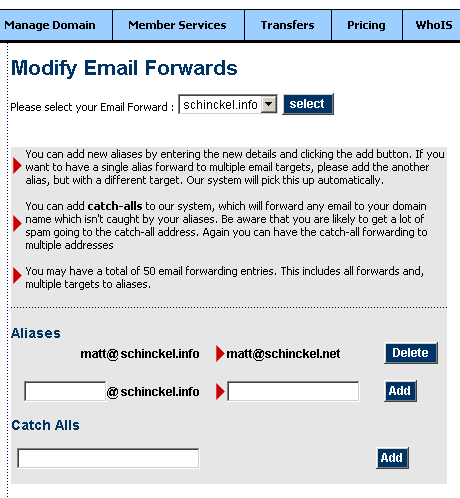 On this page, you can set up as many addresses as you want (up to a limit of 50). These can point to the same or different email mailboxes, or even have the same address pointing to different mailboxes. The final thing you may wish to do is set up your email program so you can send email and it ‘comes from’ info@tutch.com.au, or another address you may have set up above. This will depend on the email client you are using, and there are probably some good resources on Google for how to do this. I can help you with Gmail or Apple Mail, but if you are using Outlook or anything else, I won’t be able to give step-by-step instructions.



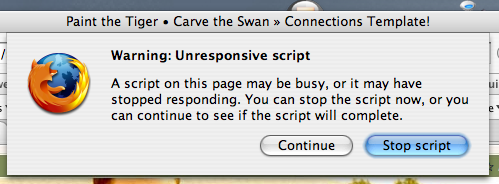 I also get errors with Camino, but I’m not sure about Safari. I’ve gone into