I will not tickle you!
- Comments:
- here.
Got this one from Boing Boing: 
Got this one from Boing Boing:
Since I need to replace all " in the generated XHTML with ‘, I use the replace function from the previous post.
|
|
I like to present styled code for my readers, but I’m not totally happy with my methods of getting it: SubEthaEdit’s Export as XHTML is very cool, but I still have to tweak it so it looks nice. And I’ve got a great program for getting the XHTML version of the code Script Editor (AppleScript) is currently displaying. But, I’d like more flexibility. I want the code to be tagged with classes, like it’s possible to do with the Script Editor add-on, rather than using inline styles. I’ve already done this for the Script Editor code, but I just need to remember to remove the inline stylesheet from the start of the generated code. Unfortunately the Script has been saved as a Run Only. I’d love to know a way to decompile one of these Scripts…apparently there isn’t. I’ll have to write my own. Or see if Jon is nice enough to give the Source Code. As for the SubEthaEdit part: I should be able to do it. I’ve learned a couple of tricks that will help.
I used to use ecto to paste all of my entries on my blog, but with Blogsome’s XMLRPC issue, I have to use a browser. But it would be nice to automatically get the name and information about my currently playing iTunes track, just like ecto used to do. I wrote an AppleScript that does this, and, inserts the data in at the insertion point for you. Because it’s intended to be run from the Script Menu, and everything run from there runs as “System Events”, I had to hard code in the browser name. If you use another browser, just replace the second line with whatever your browser is called.
|
|
I was hunting for some artwork for some iTunes tracks tonight (very nearly this morning), and I came across this page for the album There is a Way to Fly, by Coda. 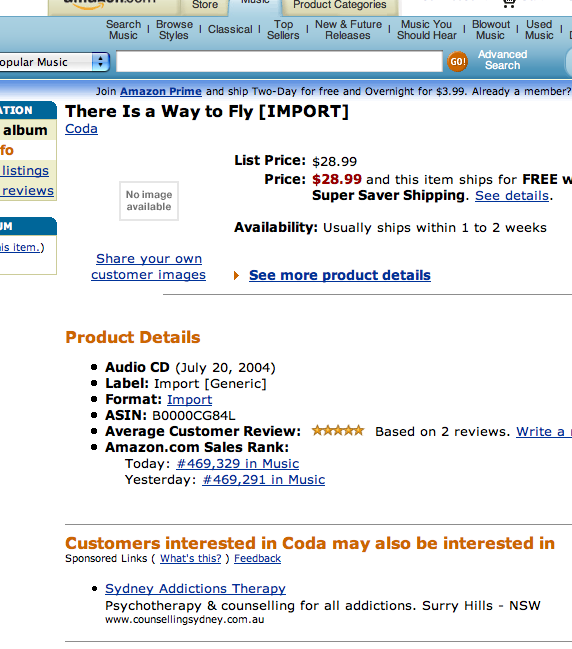 According to this, people who listen to Coda are likely to be on drugs! Or maybe I just misinterpreted it: maybe Coda is an addiction I need to kick.
The Offer • [Augie March][2] • [Sunset Studies][3]
[2]: http://www.google.com/search?q=%22Augie March%22 [3]: http://www.google.com/search?q=%22Sunset Studies%22
MIT OpenCourseWare | OCW Home This is kind of nice: MIT is now putting a whole lot of their courses online for free. Looks to be some interesting stuff in there, not sure how much detail there is in the courses though. Will report when I’ve downloaded and played around with one or two…
Those funny Americans and their love of banning books. Just one step away from burning them, really. Anyway, over at Dose Magazine, I found a link to a list of the 100 Most BannedChallenged Books in the US (1990-2000). The ones I’ve read:
I’m amazed as to the number of Roald Dahl books on there! And Where’s Waldo?.
Donald Rumsfeld is giving the President his daily briefing on Iraq. He concludes by saying: “Yesterday, 3 Brazilian soldiers were killed.” “OH NO!” the President exclaims. “That’s terrible!” His staff wait, stunned at this display of emotion, nervously watching as the President sits, head in hands. Finally, the President looks up and asks, “How many is a brazillion exactly?”
I think this another thing new to Tiger: when I initiate a PPP connection, my hostname changes, to things like: fliax7-a170.dialup.optusnet.com.au Now, this doesn’t have too many issues, except when I try to initiate a connection with what the hostname used to be, such as a local VNC connection to the other user’s desktop. The solution is to do the following: edit /etc/hostconfig, and replace: HOSTNAME=-AUTOMATIC- with HOSTNAME=the_hostname
I recently upgraded to Tiger, and just yesterday I noticed some strange behaviour from ManOpen, a great little tool for viewing man pages outside of a Terminal. Most man pages still work okay, but openman bash results in a long load time, followed by a crash. Every time. man bash still works fine. I might have to look back into the piping through Preview solution I was using a while ago. • Okay, there is a new version of ManOpen available. I’ll just use that.