Dymocks and Non-Fiction

I love to browse bookshops. Back in the day, when I had money, I always bought at least one book. Now, I spend more time at libraries and second-hand bookshops. On Saturday, as we tried to avoid the heat, we went to the movies at Marion Shopping Centre. We saw Mrs. Henderson Presents…, but more on that later. We ate at Shenannigans, but more on that later. We had a coffee at Coffee Club, and I won’t elaborate on that.
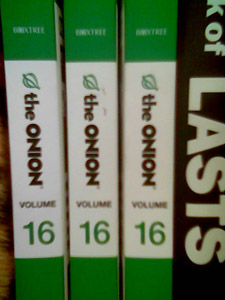
However, after all of this, we still had a little time free, so we went into Dymocks. I tend to looks briefly at the specials, and then head over to the Popular Science and Non-Fiction sections. After browsing for a little while, I came across a collection of the Onion. I read a bit of it, and took it over to show Jaq, as there was something funny on the front cover. I think it was:

US Military clears A-Team of all charges

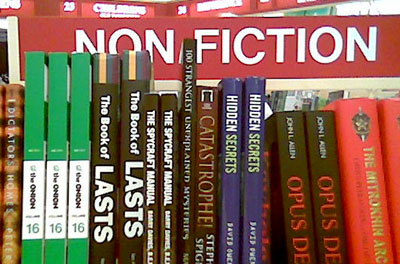
I used to love that show. Anyway, back onto the story. After flicking through it for a few minutes, I returned to the shelf I grabbed it from. And imagine my surprise in what section that was: Now seriously, Dymocks. It doesn’t take a very long read of the Onion to realise that it’s not Non-Fiction.
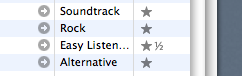
iTunes Ratings now support half-stars

I updated to iTunes 6.0.2, and looky what I found: Now, the trick is that it needs to be exactly 10, 30, 50, 70 or 90 in order to be a half-star. A rating of 75 will still appear to be three stars. I think this is a bug. I’ve written some code that does it better:

 1
 2
 3
 4
 5
 6
 7
 8
 9
10
11
12
13
14
15
16
17
18
19
20
21
    property star : «data utxt2605» as Unicode text
    property half : «data utxt00BD» as Unicode text
    property quarter : «data utxt00BC» as Unicode text
    property threeq : «data utxt00BE» as Unicode text
    
    on myRating(theRating)
    	set theResult to ""
    	repeat 5 times
    		if theRating > 20 then
    			set theResult to theResult & star
    		else if theRating > 15 then
    			set theResult to theResult & threeq
    		else if theRating > 10 then
    			set theResult to theResult & half
    		else if theRating > 5 then
    			set theResult to theResult & quarter
    		end if
    		set theRating to theRating - 20
    	end repeat
    	return theResult
    end myRating

I’m currently using this to get the ratings data to add to my blog posts: at the moment it’s a FastScript that just inserts the data via the clipboard, but when Blogsome gets XMLRPC working again, it will be an ecto script.

It’s Still Rock And Roll To Me • [Billy Joel][2] • [Greatest Hits][3] ★★¼

[2]: http://www.google.com/search?q=%22Billy Joel%22 [3]: http://www.google.com/search?q=%22Greatest Hits%22

Invisibilia

Invisibilia Invisible Sleep I’m going to do one of these!

Alas, poor PacMan. I knew him, Ghosts.

I Guess We’ll Just Have To Adjust: The Creatures In His Head Whether ’tis nobler in the mind to suffer the slings and arrows of outrageous video games…

Fall On Me • R.E.M. • [The Best Of R.E.M.][4] ★★

[4]: http://www.google.com/search?q=%22The Best Of R.E.M.%22

WYSIWYG editing for Blogsome

I’ve spent a bit of time working on getting some plugins working under Blogsome. In particular, TineMCE-Wordpress and WYSI-Wordpress. Neither of them worked too well, and they both just removed the Quicktags. I’ve also downloaded the TinyMCE source: I may implement a subset of that in a single file, and get that working with Blogsome. I also tried getting the Gravatar plugin to work, but this fails, as the Post Editor seems to screw up the tags, putting in a close tag. And self-closing the tag fails. <gravatar matt@schinckel.net> becomes <gravatar matt@schinckel.net></gravatar> And <gravatar matt@schinckel.net /> gets changed into <img class=“postgrav” src=“wp-content/gravatars/blank_gravatar.png” alt=“a gravatar image”> by the plugin, not what it should look like. Which, by the way, isn’t Valid XHTML! Note: these are not installed on the actual Blogsome server, but a Test one.

The More I See You • [Chris Montez][4] • [Room Service][5] ★★

[4]: http://www.google.com/search?q=%22Chris Montez%22 [5]: http://www.google.com/search?q=%22Room Service%22