Mounting a share before running an application

I have all of my Music, Movies and TV shows stored digitally on a server, located just below my feet at the moment, but soon to be shifted to another location. This server just runs SMB file sharing, and provides access to the same files, as well as a heap of other data, to all of the machines in my network. It also provides easy access to media and installers for guest users, too. The one thing I like about Windows1 over OS X is that you can have shares set to auto-mount on bootup. I used to use an AppleScript to do this, which was okay, except OS X still disconnects when you sleep. Not that I sleep my machine much, anyway. Then today, I read a great hint on MacOSXHints: Make sure iTunes mounts a networked music library. Basically, instead of running iTunes from the location it is installed in, you create an alias on the music server volume, and run it (via another alias back into the dock) from there. Then, before loading iTunes, it mounts the volume, if it can find it. Otherwise, iTunes will not run. Which is fine by me, since all of my music is on that server!

  1. Mind you, Windows does have some other crappiness in conjunction with this. Lately, I’ve been finding that it won’t always mount all of the shares, even though I chose automatically mount after rebooting, and it sometimes forgets my passwords. Similarly, you cannot connect more than once to a server with different credentials. I mean, seriously?
Finding CD Artwork

Since I share my iTunes music, or more specifically, the music files themselves between a variety of clients, I’m not really interested in having iTunes find the artwork for me. This is mainly because the data is stored in the iTunes folder, not the MP3/AAC files themselves. So, I’d rather go through and find the artwork and add it manually. Often, this will be scanning the original CD cover, if it’s in good enough condition. With the inclusion of the artwork view in the iTunes main window, this task is much, much easier. Before, I had to use some crazy AppleScripting to find the tracks missing artwork; now I just have to scroll down until I find the tracks that are missing it. And then hunt around for the CD, or google for it.

Re-ripping Music Library

I’ve ripped a fair chunk of my CDs to AAC format, using iTunes. I used AAC 128kbps, but since I’ve just bought a new 250GB Hard Drive to use for Movies/Television, I can have the 160GB one used almost solely for Music (and data backups for the various computers on my network). I’m thinking of re-ripping my CDs to 192kbps AAC, which will make the files about 1.5 times their current size. I currently have 43 GB of music, but some of this is downloaded (iTunes Store and Podcasts), so the whole database won’t increase by this much. I’m also going to make some other structural changes. I’m not going to have iTunes manage my music files, just the tags inside of them. That way it will play nicer with a variety of clients. iTunes moves files around when you change the ID3 tags, so another version of iTunes, or Xbmc, or whatever, can’t find them anymore. It might mean the filenames are wrong, but I think every system I use will have a database of the tags, rather than the files themselves. I just hope the various systems update the tags when they have been changed. I’m also going to stop using my Wireless Router as my DHCP/DNS server. I just don’t like the inflexibility that Netgear’s system has in this regard. I want to be able to add static IP addresses, and have the hostnames resolve. Which I know the SpeedTouch modem did using it’s DHCP/DNS setup. And then I can isolate the wireless segment of the network a bit more. Not that that’s too much of an issue using WPA, but you never know…

iTunes and download speed

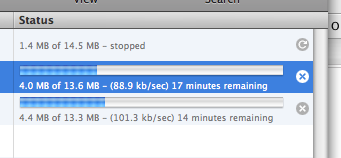
I remember reading somewhere about a trick to view how fast iTunes is downloading a file. Click on the Downloads source item, and then click on the time remaining text for a downloading file. It changes to display a speed: How fast can iTunes download? However, the savvy amongst you may realise this is pretty fast. Especially since my connection is a sloppy 256kbps (kilobits per second) - the fastest I can really download at is around 26 kilo_bytes_ per second. iTunes must really be measuring the speed in kilobits per second.

Sweater • Eskimo Joe • Triple J Hottest 100 - Volume 6 ★★½

iTunes losing Podcast episodes

For my daily commuting, which recently has been almost entirely on bicycle, I subscribe to a series of podcasts. These are mainly from the ABC in Australia, but thrown into the mix is the NewScientist podcast. Back when I was on dialup, I used a neato trick to download podcasts using wget, and then import them from the local machine when they were fully downloaded. This was mainly because wget is better at resuming downloads than iTunes was then, and to a certain extent still is. At least now you can pause and resume some downloads, but iTunes still times out long before wget does. I used this same trick a couple of weeks ago when the NewScientist server had some sort of an issue, and the long and the short of that was that I had some entries in the NetInfo database, and I still had a couple for the NewScientist servers. And because of that, wasn’t actually downloading the newer podcasts since then. I fixed that problem, but now I’ve come across another. Two podcasts are missing from the list - the two most recent. I know iTunes tried to download them a couple of times, but it’s like I clicked on them and pressed Delete. And then, I wasn’t able to get them to come back. I tried unsubscribing, and then resubscribing, but no joy. And then I happened across a hint on MacOSXHints.com (Re-download podcasts without subscribing again):

After that, I collapsed the podcast series by clicking the triangle, and then expanded it again while holding the option key

Bingo. This has apparently fixed it all up.

iTunes Berkeley

University of California (Berkeley) now has a whole lot of lectures available as downloadable audio. You can get Podcasts of them, or get them via the iTunes Music Store, Berkeley edition. I’m not getting them as Podcasts, since the ones on iTunesU are already pre-tagged, and the courses I’m getting are not currently running, so I don’t need to automatically get new ones. The only tagging fault I’ve found is that they are missing: Remember playback position Skip when shuffling Which I think are important for this type of thing. I’ve also noticed some Podcast/downloads via iTunes can be paused and resumed, unfortunately, these ones can’t. Finally, a neat point is that it automatically creates a new Playlist, and a new Playlist Folder.

Snow • Alex Lloyd • Black The Sun ★★★

NSStatusItem

I’m currently rewriting iTunesRating to allow for half-star ratings. This is a program that sits in the menubar, and displays the rating of the current song, and allows it to be changed. I’ve learned a lot about how to create a NSStatusItem already tonight, and I’m working on getting the AppleScript interface to properly with it. It builds a bit on iTunesRater, a program I wrote in AppleScript Studio, which allows for the same thing, although this will have a much smaller screen footprint. If only I could get hold of the original source code - I could fix it in a few seconds, I suspect. More updates later.

Arse Kickin’ Lady From The Northwest • Tim Rogers And The Twin Set • What Rhymes With Cars And Girls ★★★★½

Album Artist, or not?

I’m not sure whether I’m going to use Album Artist across my iTunes Library, or not. I’ve already used it in a couple of places, where I have several albums of the same title, such as Greatest Hits, or Behind The Sun. But the other place I may wish to use it is where on an artist’s album there are co-artists for some tracks. The one that springs to mind is Paul Mac, 3000 Feet High. For most of these tracks, Paul Mac credits the singer - generally it was Abby Dobson, Peta Morris, or someone else. The point is, until the advent of Album Artist as a tag, to keep the album together I had Paul Mac as the designated Artist. Then, in the case of a “featuring” credit, which there is on each track in this case except the last two, I put (feat. Additional Artist) into the song Name. Now, I am in a bit of a pickle. I can instead make the Album Artist Paul Mac, and in the Artist field, put Paul Mac featuring Additional Artist. This is all well and good, and the files are stored in the Paul Mac directory, but then I have more artists listed in the Artist browser. Luckily, because I’m somewhat anal with my tagging of tracks, all of my featuring credits are stored as indicated in the song title, so it was easy to create a script that parses the track name, and grabs out the additional artist(s). It is also possible to not add in the Album Artist tag on tracks that are compilations. However, because of the issue indicated above, I haven’t run that script on all of the tracks in my library yet. I’m really not sure which path to take.

Time • Sandi Thom • Smile…It Confuses People ★★

Podcasts can be TV too!

I’ve stopped downloading the Chaser podcasts, since the quality is too poor, and I want to keep those for posterity. However, as a bit of a whinge, it did make something clear to me. Apple thinks podcasts can’t be TV shows, or movies. If you try a Get Info on a video podcast, and wish to make it into a TV show, so you can organise it properly within your library, you can’t. This option is grayed out in the Video tab.

Pass In Time • “Central Reservation” • Beth Orton

iTunes 7 Party Shuffle Bug

Well, I’ve come across a bug in iTunes 7. I use Party Shuffle, but since I often spend time sorting through my 7626 songs, 784 podcasts, and so on, I like to be able to just add tracks to the Party Shuffle, and not have to use “Play Next in Party Shuffle”. So I have 0 upcoming songs shown. Just so it’s always a surprise what’s going to play next, unless I’ve already decided I want a particular song. With iTunes 7, however, having 0 tracks shown next means that it stops playing when there are no more tracks. This is bad.

The Continuing Story Of Bungalow Bill • “White Album” • The Beatles