Clean Up Australia Day Ad

Clean Up Australia Day was started years ago, it’s now expanded into Clean Up The World, or something similar. Apparently the first year was a huge success, and although the numbers of people involved now isn’t as high, it’s still pretty big. I’ve never been involved: it’s always right around the time of my birthday, and whilst I support it, I’m a bit apathetic at times. Anyway, the new Advertisement for it is on TV now, and it’s rather cool. It starts with a picture of Ayers Rock, sorry, Uluru, which when the light turns up is revealed to be a bag of garbage. Then, there is an image of the Olgas, which is really three cans of spray. Then we see the Sydney Harbour Bridge, which is a bicycle wheel and some other garbage. Finally we see the 12 Apostles, which are trash in the water. The clip ends with the phrase “Don’t let rubbish become part of the scenery.” I actually think it is an excellent Ad. It’s punchy, clever and hopefully will cause some support. Will I be involved. I doubt it. I’ve got a 30th birthday party to organise, after all.

Emma • [Hot Chocolate][1] • [Their Greatest Hits][2] ★★★★★

[1]: http://www.google.com/search?q=%22Hot Chocolate%22 [2]: http://www.google.com/search?q=%22Their Greatest Hits%22

Adding a Podcast to a pre-existing Subscription

Under iTunes, Podcast handling is (mostly) an inspired technology. _Podcasts _are handled slightly differently to normal audio, or _Music _files, and differently again to AudioBooks, and Movies. All of which makes perfect sense, as all of these types of files have different purposes. For most people, a Podcast is something they might listen to once, and then discard. I’m not most people. I’m a hoarder, and thus I like to keep of the Podcasts I’ve downloaded. And I like them to be well organised. That means all properly tagged, with reasonable titles. I may want to listen to a particular Podcast again, such as the amazing 000 Emergency episode of Radio Eye (from Radio National), or burn it to a CD to play for students in a class. I’ve also found some MP3 files that are part of a particular Podcast, but have long since been removed from the RSS feed that tell iTunes what files are available. I’ve downloaded these, but needed to be able to get them into iTunes, and make sure they appear in the relevant Subscription. I’ve discovered a way to do this, but at this stage it is a manual process, and can become quite time consuming with many files. You will need the following things to be able to perform this trick nicely:

  • All of the music files you intend to import.
  • A copy of the XML file that is the basis of the subscription.
  • The hostname and path of the subscription.
  • An http server.
  • The ability to change hostnames, so as to cause software to look in a particular place for a server, rather than using DNS.

I’ve done all of this on a Mac, and the instructions below will reflect this. It is possible to do all of this on other systems, but the steps may vary, especially redirecting the requests to your own server. A note will be made of this. The first thing to do is to ensure that your computer has a working Web Server. If your web browser will not report anything working when you try: http://imac/ (or whatever your computer is called), then you will need to enable the server. Under MacOS X, open System Prefences and choose the Sharing tab. Find Personal Web Sharing in the list, and turn it on. You may need to Authenticate as an administrator in order to do this. Now, you need to grab the XML file. Open iTunes, and select the Subscription you wish to add files to, and Ctrl-Click. Choose Show Description from the popup menu. Record the URL. Download a copy of this URL using, for example wget from the terminal. In my case, the command I used was: $ wget -c http://www.abc.net.au/rn/podcast/feeds/mind.xml The URL contains a fair chunk of the information we will need later, so I’ll explain what everything in the above example means:

  • http:// - the protocol used. This will always be hypertext transfer protocol, as this is the only one that iTunes understands.
  • www.abc.net.au - the name of the server. We will trick iTunes (and every other application, incidentally) into looking on our computer for this server later.
  • /rn/podcast/feeds/ - the directory structure on the remote server.
  • mind.xml - the name of the XML file that stores the suscription information.

We now need to set up the files in the right place. Find the root directory of your web server. For a Mac, this is likely to be /Library/Webserver/Documents/. Create a new directory within that one, in my case it was called rn. Then create a new directory inside that one, in this case podcast, and so on. Do not create a new directory with the name of the XML file, instead move the XML file into this last directory. Move the audio files into this directory also. Now, open up the XML file in a text editor, and examine it’s contents. You will need to change the values of a heap of stuff in the <item> section(s), ensuring all of the information is accurate. It’s fairly straightforward, but I’ll summarise them anyway.

  • title - The _Title _as it will appear in iTunes. You can edit the title of a Podcast after it has been downloaded.
  • description - This appears in the _Description _field of iTunes. There seem to be issues with extended characters of some sort. You seem to be able to have a longer description if you have it in the XML file than if you try to add it later using AppleScript.
  • link - the URL of the file.
  • pubDate - the Released Date. Make sure it is a valid date, and the correct one for the Podcast to ensure they appear in the right order within iTunes/iPod.
  • enclosure -This one has three parts that must all be checked.
    • url - ensure it is the same as the value in link (above).
    • length - this must be the exact size of the file in bytes. This can be obtained on a Mac by using the Get Info command.
    • type - chances are this will already be correct, but if you aren’t using MP3 files, then ensure this reflects that.
  • guid - appears to be the title + the pubDate. I assume that this field is used to see if files are the same. I haven’t experimented to see. I suspect it can really be any value, as long as it is unique within this subscription.
  • itunes:author - The value to go into the iTunes Author field.
  • itunes:summary - iTunes Comment value.
  • itunes:duration - The duration in seconds. Again, available through the Get Info window.

Of these, really only enclosure, link, guid and duration are important for now: the remainder can be changed using iTunes later. However, if you have a long description, you might not be able to get it all to appear if you use AppleScript to change it later. I learned this the hard way, and now change the description in the XML file. Now we are up to the tricky part. You need to tell your computer not to look online for a particular server anymore, but to look at your own computer. On a Mac, this is done using NetInfo. Open the / domain, and find machines. Copy the entry localhost, and edit the name so that it reflects the domain name of the server the Podcasts normally live on. In my case, this was www.abc.net.au. If you are using a different OS, you may need to edit /etc/hosts, or the Windows Hosts file. Save your domain. To get the computer to use the new settings reliably, you need to be ‘offline’ - easy for me since I’m on dialup. You will also need to Restart Netinfo Domains after going offline. It may take some time to do the lookup (which has to fail before it looks in the local domain list - which seems to be contra to how I would expect it to work), but after this it will be speedy. Then, simply start up iTunes, and update the required Subscription. It should (very quickly) download all of the podcasts that are ’new’ - although you may need to manually download them depending on your settings. Finally, reload NetInfo, and remove (or better, rename) the server name you entered before. Don’t use something like www2.abc.net.au, as this is still something that may be used by the company. Instead, put a 2 at the end, so it makes the domain name invalid. You may need to restart, I just connected to the internet, and the server in question worked perfectly again. You can now remove all of the files you no longer need - all of the MP3 files will have been copied to your iTunes library. You may wish to hang onto the XML file, incase you need to repeat this for future episodes.

Copy-Paste to XML file fails

For some reason, copying the data for the description of a Podcast and then pasting this into the XML file I’m creating doesn’t work. In one instance, it just left the field blank when adding this Subscription to iTunes, yet typing this very same information in worked perfectly. Apparently, however, using é, and I assume other extended characters, doesn’t work - you need to encode characters. Otherwise, iTunes decides the XML file is invalid - which it may well be…

Update: the XML file is indeed invalid, unless you have defined an encoding that allows this type of character, such as, at the start:

1
    <?xml version="1.0" encoding="UTF-16"?>

Importing Older Podcast Episodes

I’ve found that some of the older ABC podcast episodes are still on the server, but don’t appear in the XML file. How then do you get them into iTunes? If you download the file, using for example wget, the file is a regular MP3 file. You can import this into iTunes, and it will play, and get most of the info about the Podcast from the ID3 tags. However, it will not be a Podcast. It will be a normal audio file, or what iTunes calls Music. Basically, iTunes will only flag a file as a Podcast if it is downloaded through iTunes. This is crappy for a couple of reasons, the first is that iTunes tries to download 3 files at a time, and this chokes my connection, causing all of them to drop out. It then tries the next file as each one fails, resulting in only the last one in the download queue to actually finish. The second is the example above: that I have some older episodes I want to import. Red Sweater Blog to the rescue. Daniel has written a program called TypeCast, downloadable from the page A Home For Wayward Podcasts, which can sort-of solve the problem. You can set the relevant data in the Podcast, such as name, and description, but not the release date. Nor will it add the file into the previously listed subscription, instead creating a new subscription each time you import it. Apparently these multiple subscriptions, if the have the same name, will only appear once on the iPod, but surely there’s a better way. My plan is as follows:

  1. Change the URL of the Podcast Subscription you want to insert a file into. Point it toward a server you have access to, like Personal Web Sharing on your machine (recommended).
  2. Move the relevant files to the right location on your computer, so they are available via the web server.
  3. Generate the required XML file, including grabbing data from the MP3 and iTunes, and allowing the user to add other info, such as the Release Date.
  4. Update the desired Podcast Subscription.
  5. Return the URL of the Subscription to it’s normal value.
  6. Clean up any extra files.

Now, I’m unfortunately stuck at the first item. There doesn’t seem to be an AppleScript method for getting the URL of a Subscription, let alone the ability to set it. You can change the URL of a Podcast Feed if you own the feed, using a special iTunes XML tag. However, as far as I can see, the only way is to edit my /etc/hosts file (and/or the OS X equivalent) and put in an entry that will override the value. Not really something I want to have to do. And I’m not sure if I can map just one directory to a location, or if I’ll need to create the whole tree under my server’s root directory: http://www.abc.net.au/rn/feeds/mind.xml At least I’ll only need to do that once: all of the Radio National feeds appear to be in the same place, just different XML files.

Note: there is an alternative method of achieving the first item. Rather than change the feed, you can change the setup of your computer, so that the server name referenced in the feed points to your computer’s web server instead. Doing this temporarily is easy if you have a batch of files that need to be imported once only, like an archive from before iTunes was your Podcatcher.

SAO Aussie Quiz

SAO Aussie Quiz Yay! I’m truly an Aussie, as I got 20/20. I reckon’ that most city slickers won’t have heard #10. Of course, the real phrase is “Come behind!”, and the alternate is “Get away back!” My only hassle is that it should be smart_arses_.com (For all of my overseas readers, that’s how we pronounce the word. Arrrrse. Long R.).

ABC Podcast Feeds vs. Files

As a latecomer to Podcasting, I’ve missed a whole lot of stuff from the ABC’s excellent range of Radio National podcasts. And I’ve managed to download most of the ‘casts from the feeds that I have subscribed to, but I thought I might see what other stuff is still on the server. Luckily, the ABC use an easy to decode system for naming most of their podcasts. For instance, “All in the Mind”, a show about Psychology and the Mind, is stored in files like: http://www.abc.net.au/rn/podcast/feeds/mind_20051231.mp3 The first bit stays the same, and the number is just yyyymmdd. Thus, even though the feed only lists the last 4 programs, the server seems to have the last 9. Beyond that, I just get file not found errors. Now the only trick is to see if using wget will mean that I can import them into iTunes, and have them show up as Podcasts, including all of the data. Hopefully that is all coded into the ID3 tags, but I’ll post the results.

Dear MyDomain.com

(This is a copy of the support request I sent through to MyDomain.com minutes ago) Dear MyDomain.com, I have noticed that emails sent through the email forwarding system do not always arrive, and often do not arrive promptly. Whilst the problem doesn’t seem to be occuring right now, earlier today I sent a test email, and it still has not arrived. I sent it at 2:14 pm (+1030 6 Feb 2006). It is now 6:18pm. My partner also has a different domain registered with you, and has noticed that a large amount of email is not delivered, or is delivered late. In some cases, up to a week late. The error in question for one particular email was:

After 3 days the following message could not be delivered to user@domain.com at host domain.com. The last attempt to send this message failed because no answer was returned by a DNS.

(Obviously, user@domain.com is replaced by a valid username and domain). This has occurred from mutliple senders, and is unnacceptable. The domains registered are used for business purposes, and not being able to have prompt delivery causes lost business. I moved my domain registration to mydomain.com because I thought they were a reliable service; I may reconsider renewing my domain (and other domains I am involved with) unless service provision improves. You FAQ page 873 is clearly out of date - there are problems with your servers at some point. Whether it is a DNS issue, or a mail forwarding issue, it is impacting on your providing of a service. This email requires a reply. Regards, Matthew Schinckel matt@schinckel.net (or matt.schinckel@gmail.com if the forwarding service is down again).

What a Weekend!

It started on Friday night with Touch training. I coached rather than training, as I was carrying a bit of a hamstring injury, and I wanted to give it a bit more rest. Still, it meant I didn’t get home until around 8. I’m just glad I chose not to ride my bike! Saturday was the annual Colley Reserve 5-a-side Touch Carnival. Normally Touch is played with 6 on the field, but for a more exciting game, and because the fields are a bit smaller, this carnival plays with 5. It’s mixed, so 3 boys and 2 girls are the order of the day. I played in the UniSA team, knowing only two of the players beforehand. The guys, and most of the girls were pretty nice people, and we wound up making the final in the Pool B division. Which we lost, to a team that pretty much plays together all of the time. When I got home, at around 6pm or so, I started doing some editing on my post I’m writing over on OmniNerd. I actually spent a fair bit of time on this, and although I disagreed with the editor’s comments on a couple of things (like placing an embedded clause in commas, something I do) I feel that the feedback made my article better. It’s still not ready to publish, but it’s probably 75% of the way there. The most interesting thing for me is that it’s a different style of writing than a blog post. A blog post, by it’s nature, is very free-flowing, and can at times lack structure. I very rarely edit my posts on this blog, although I sometimes correct errors. If I make them. (Reminds me of the joke: I was wrong once. I thought I was wrong, but I was actually right.) By the time Jaq got home from little Shae’s birthday party (9:30pm), freaking out because there was a big spider on the car, which I had to squish for her, I was about ready for bed, so I dozed almost right off. Jaq had to head into Uni this morning at 11, so I got up just as she left, and started finalizing my Tax documents. I put all of my stuff into a spreadsheet, and it didn’t really take as long as I thought it might. Then, I caught up on all of my RSS feeds, and by the time Jaq got home this time, I had to head off to State League. I played in the Mixed, where we won 8-2 (I only scored one of these, but set up a couple of others, including a great boomer with Karina McL), and then coached the Mens from the box (there is another playing coach, but sometimes it’s handy to have extra eyes off the field).

Anti-CD/DRM Pledge

‘I will pledge to never purchase a CD contaning any form of Digital Rights Management (DRM),’ - PledgeBank

Deadline to sign up by: 6th February 2006 3,745 people have signed up (3245 over target)

This Week in PostSecret

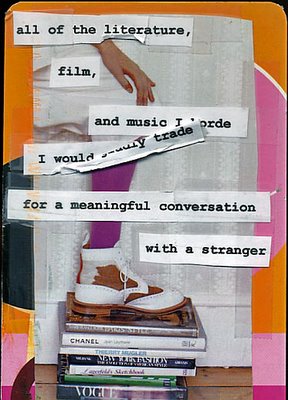
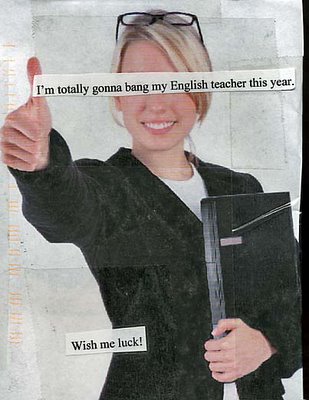
I’m continuing to archive and present the pick (IMHO) of the week’s PostSecret entries. Actually, a very similar thing happened in my family. Apparently my Dad kicked a cat, and my sister and I didn’t find out until her 21st birthday that it hadn’t been bitten by a snake. This last one is only in here for the Speeling Poleese. That’s a horde of barbarians, but people hoard things. From Apple’s Dictionary.app:
USAGE Take care not to confuse the same-sounding words hoard and horde. A hoard is ‘a secret stock or store of something’ (a hoard of treasure), while a horde is a disparaging word for ‘a large group of people’ (hordes of fans descended on the stage). One way to remember the difference is to think of ‘stashing your hoard behind the loose board’ (note the spelling likeness of hoard and board).